Little Workstations
for Big Ideas
A Caddy for every assignment. A lot less clutter. A bunch more done. And a little bit of fun.
Coming to the Mac App StoremacOS 15 or later. Apple silicon and Intel.
What a Caddy is
A tab on the edge of your screen, and everything that belongs to it.
Make one for a class, a client, a case, a chapter, an assignment. It docks to the left, the right, or the top of the display and waits there, out of the way of whatever you are actually doing.
Click the tab and the Caddy opens beside your work. Click it again and it puts itself back. Nothing takes over the screen, and nothing asks you to move somewhere new to get at your files.
Four Caddies in four of the sixteen tints.
What opens
Your Library, your Notes, and the document you were reading.
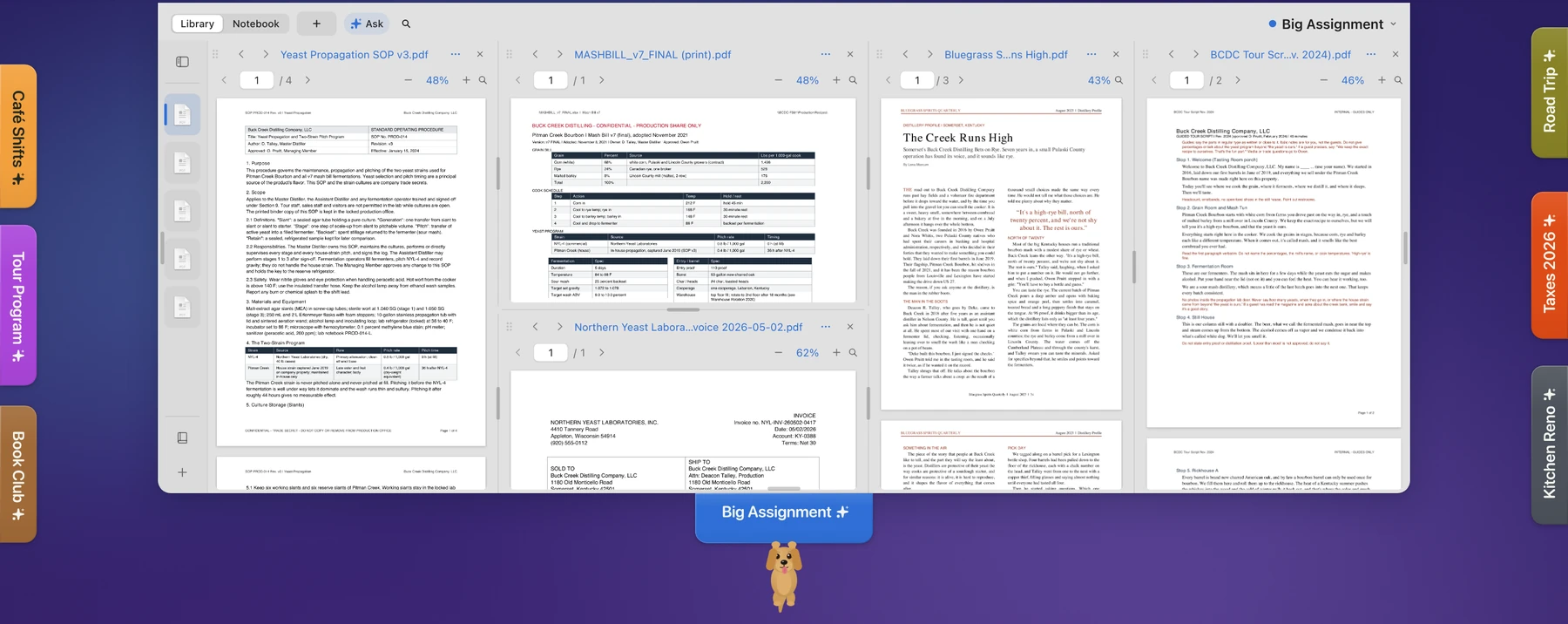
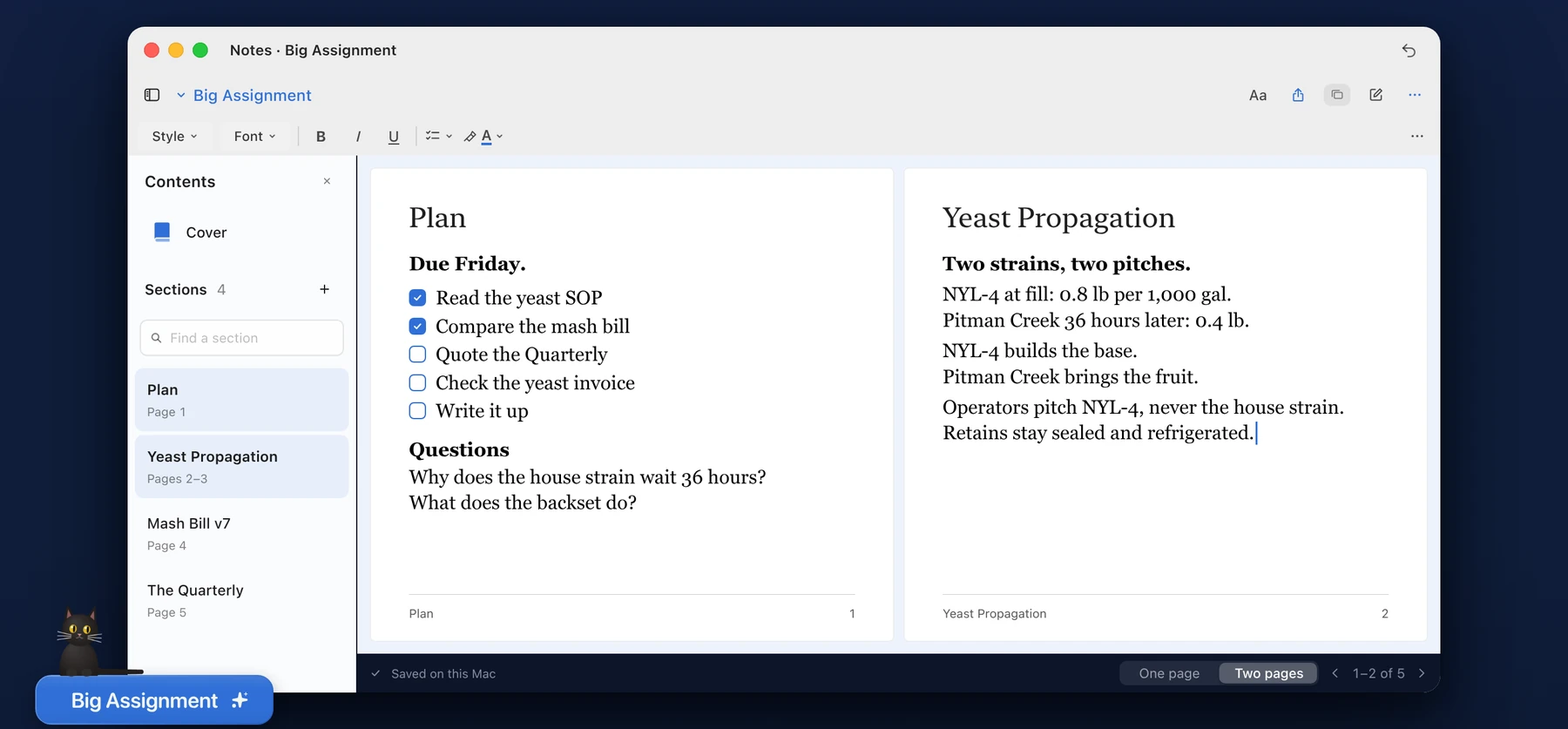
The Library holds the files you put in a Caddy, in sections you name yourself. Notes live in the same place as the documents they are about. The reading pane opens PDFs and Word files, and it will stack two of them so you can keep a source up while you write.
Drag a pane by its title strip, drag the seams between them, and the layout stays the way you left it.
Caddy reads your files where they already live. It does not copy them and it does not change them. When you want to edit, Open in Word hands the document back to the app that owns it.
What they do
Slide them, throw them, save them, and let go of gravity.
A tab slides along its edge. Pull it off and it comes with you, and you can drop it on another edge or throw it clean across the display. Give each Caddy one of sixteen colors so you know which is which without reading. Close one and it saves; open it later and it comes back the way you left it.
And in the menu bar there is No Gravity Caddy, which cuts every tab loose to drift, tumble, and bounce off the sides of your screen until you click one and it flies home.
No Gravity is real physics rather than a loop. Every tab is a capsule with mass and inertia: a wandering nudge that changes direction every nine seconds, 0.55 restitution off the walls of the display, and about a minute to cross a 1920-wide screen. It is off by default, and it pauses when macOS asks for Reduce Motion.
From the person who made it
Hello, my name is Blake.
A Caddy is a little workstation. It looks like a bookmark tab sitting on the edge of your screen, and it holds one body of work: a class, a client, a case, a project, whatever you are actually doing. Click the tab and everything for that work opens right there. Your documents, your notes, a reading pane. Click it again and it goes back to the edge and stays out of your way.
I think Caddy is for anybody who keeps too many windows open. Students, writers, paralegals, lawyers, anybody with four things going at once and no good place to put the other three.
I also want to say that Caddy is fun. The tabs slide along the edge of the display. You can pull one off and throw it across the screen, and it will land where you threw it. They come in sixteen colors. They have effects and small animations. There is a mode called No Gravity that lets them all float free, drift, and bump into each other and off the sides of your screen, until you click one and it flies back to the rail. None of that makes you faster at anything. I put it in because I liked it.
Caddy started right after I graduated law school. I was clerking, and the attorneys I work for would hand me an assignment on Monday and another one on Tuesday, and by Thursday I had documents for six different matters scattered across a desktop and no idea which folder held what. I wanted something that kept each assignment together and stayed quiet in between. Nothing did exactly that, so I built it.
It began as a Microsoft Word add-in, because that is where most of my work happens. Then it outgrew the pane, and it became the Mac app you are looking at now.
I made this with a lot of love. I use it every single day. I truly love it, and I hope you do too.
Kind Regards,BlakeCaddy
Little Workstations for Big Ideas
Coming to the Mac App StoremacOS 15 or later. Apple silicon and Intel.